
Sunday, December 20, 2009

Night Shooting

I recently joined the Twin Cities Photography and Photoshop Group, a MeetUp Group ( www.tcphotogroup). One of their recent MeetUps was night shooting along St. Paul's Smith Avenue Bridge. I was joined by around 12 other photographers for a fun 1 hour shoot. The weather was seasonal, in the high teens with little or no wind, so it was pretty comfortable. The only issue was cold feet, the result of wearing the wrong shoes.

Be sure to click on each image to enlarge it and see the detail.

The first view, taken from the middle traffic island, was a combination of 4 different files layered together.


Because it was next to impossible to get headlights and taillights streaking through the image at the same moment, I layered two separate images together (1 and 2 above). I took the taillight elements and part of the street and layered them onto the base image (4). I also layered in an exposure of the street lights (3) so they wouldn't look so blown out.


Finally, to give the image a twist, I processed it through OnOne's ® PhotoTools ® plug-in. I used a combination of the Moulin Rouge effect and a Watercolor overlay to give it a more romantic feeling.


The next image, a view taken from the side of the bridge, involved using 3 images, shot at 2 stops apart, and combined using Fusion in Photomatix Pro ®.


I used a combination of On One's ® PhotoTools® Watercolor and Crayon to add a more painterly effect to this image.


The following shot, of the St. Paul skyline, involved two processes. The first, HDR (High Dynamic Range), involved taking three different exposures, AEB (auto exposure bracketed) at 2 stops apart, with the camera set at ISO 400 and f/8. The base exposure was at 2 seconds, followed by 1/2 second, and the third at 8 seconds. A panoramic tripod head was used to shoot 4 separate views across the horizon for a total of 12 files used to complete the image.

Each set of 3 images was tonemapped using Photomatix Pro® and further enhanced using Nik Color Efex Pro 3.0®.


For more information,

  • www.stevesilvermanimaging.com

  • 4445 W. 77th St. #130
    Edina, MN 55435
    952-844-0119 c952-905-1197
    steve@stevesilvermanimaging.com

    Thursday, December 10, 2009

    White Balance and HDR in Architectural Photography

    Recently I attended a luncheon meeting at International Market Square in Downtown Minneapolis. I used the meeting as an opportunity to shoot some test photos with my new Canon TS-E II 24mm f/3.5 lens. This is a tilt/shift lens.

    I wanted to demonstrate the capability of the lens, illustrate how useful HDR can be, as well as address questions I have received concerning white balance. The discussions will be detailed in a series of articles I'm developing as well as workshops on HDR. The first workshop, "Intro to HDR" will be held in my studio January 12, 2010. Details of how this image was created will be included in at least two articles, "The Right Equipment," and "Shooting Techniques."

    First, addressing white balance. There seems to be some confusion about white balance when shooting RAW. Simply, a RAW image is just that: raw. It is a pure, unadulterated record of what the camera sees. But, a RAW image also captures other elements of the image chosen by the photographer. This information is stored in the file's metadata and can be called upon by the photographer in post processing. White balance is one of these elements.

    Be sure to click on any of the images below to enlarge it and see its detail.

    The first image, below, was shot with the camera set to Auto White Balance.


    The image below was shot using a Custom White Balance. In this case, it was hard to get to an area to shoot a white balance target. I wasn't able to be suspended in the middle of the room. Because the area was filled with a lot of natural light, I defaulted to a version of daylight corresponding to 5500 kelvin. This setting has been recommended by my colleague, Rich Hockett.


    Next, I used the tilt/shift lens to recompose and sharpen the image. I used the shift function to eliminate the foreground railing and reveal more of the ceiling. I also used the tilt function to bring more of the brick wall and windows on the right side of the image into sharp focus.

    To make this into a High Dynamic Range photograph, I made 2 more exposures, one 2 stops under-exposed and one 2-stops over-exposed. I processed all three images through Photomatix Pro® and made only slight adjustments from the default settings. I used Nik Color Efex 3.0® and Photoshop® to add contrast, added saturation just to the greenery, and sharpened the entire image slightly. I describe this type of HDR image as photo realistic.


    This 300% zoom may be helpful in illustrating how the tilt function brought the brick work into sharper focus. The tilt function was used for the image on the right. Although, in this rather small file, it's hard to see the difference in sharpness, you should be able to see the difference in contrast which I've pointed to. Contrast is one of the components in determining sharpness. Click on the image to enlarge it.


    To make things interesting, I reprocessed the three images as a type of HDR image I call illustrative. Some of the people in the HDR world call this a "cooked" image or a "cocktail." This is accomplished by running the sliders in Photomatix Pro® from one end to the other. Specifically (for the techies): Strength 100, Color Saturation 100, Luminosity +3, Microcontrast +10.0, Smoothing -8.1, White Point .559, Black Point 0, Gamma .88, Temperature +3.0, Saturation Highlights and Shadows at 0, Micro-Smoothing 9.2, Highlights Smoothness 99. Here is the result:


    I wanted to give this image more texture. I also thought the brick wall on the right was too orange. First, I blended the final photorealistic image with the cooked image revealing some of the brown tone of the brick so it wasn't so bright and saturated. Next, I ran the image through OnOne Software's PhotoTools®, a Photoshop® plug-in. I used an effect Exaggerated Edges n' Tone and combined it with an effect called Moulin Rouge (named after the movie) to present this final rendition.


    For more information,

  • www.stevesilvermanimaging.com

  • 4445 W. 77th St. #130
    Edina, MN 55435
    952-844-0119 c952-905-1197
    steve@stevesilvermanimaging.com

    Monday, December 07, 2009

    Family Portraits Made Stylish!

    I had the pleasure of welcoming Jim and his 3 sons, Jonathan, Brad, and Michael as well as Ann, Jonathan's girl friend into the studio for family portraits. Right off the bat, they told me that they wanted fun and different shots. Me, too!

    Enjoy looking at these. Be sure to click on each image to enlarge it.

    You can see the rest of the images from this shoot here:

  • Family Portraits


  • This is what the studio set-up looked like:


    I also incorporate Photoshop®plug-ins which enable me to apply some interesting effects like this:


    I can easily change the color of the background as well as the saturation using Lightroom® and Photoshop®.


    Jonathan and his main squeeze, Ann:


    We began the shooting with some classic shots to get everyone relaxed.


    Additionally, I processed one High Dynamic Range image. I first started with a base image in Lightroom® and duplicated it twice, once 2 stops under and once 2 stops over. I then imported it directly into Photomatix Pro® and tonemapped it using the Details Enhancer method. Setting used:
    Strength 80
    Saturation 42
    Luminosity -1.2
    Microcontrast -4.1
    Smoothing +4.0
    White Point .0250
    Black Point .335
    Gamma 1.0
    Temperature +4.9
    Saturation Highlights +1.0
    Saturation Shadows 0.0
    Microsmoothing 9.1
    Highlights Smoothness 48
    Shadows Smoothness 100
    Shadows Clipping 0


    I wasn't able to clear up the dirty shadowed look on the faces so I blended the base image with the tonemapped image to reveal the faces and background but kept the detail revealed in the jackets and jeans.


    For more information,
  • www.stevesilvermanimaging.com

  • 4445 W. 77th St. #130
    Edina, MN 55435
    952-844-0119 c952-905-1197
    steve@stevesilvermanimaging.com

    Thursday, December 03, 2009

    Residential Architectural Photography

    This Minnetrista home was extensively remodeled by my client. The great room and kitchen mostly represented an addition to the existing structure.

    Be sure to click on each image to enlarge it and see the resolution and detail.


    The above image as well as almost all of the images that follow, were created by taking a variety of exposures to account for all of the exposure values in the scene. They were then merged (tonemapped) in software called Photomatix Pro®. The final image above was processed further to provide contrast, sharpening, and color correction.


    This Minneapolis residence was an interesting project. The original home, located just off of Lake Calhoun (actually facing the lake), was demolished and this new home was built on the same foot print.


    For more information,

  • www.stevesilvermanimaging.com

  • 4445 W. 77th St. #130
    Edina, MN 55435
    952-844-0119 c952-905-1197
    steve@stevesilvermanimaging.com

    Tuesday, December 01, 2009

    Me vs Them

    I was contacted recently by a new client to reshoot images of a project she had shot by another photographer. I hadn't seen any of the photos the other photographer shot until today. I'd like to compare the two photos.

    Be sure to click on the images below to enlarge them and see the detail.

    Shot by the other guy (or gal):


    Shot by me:


    There are many differences, amongst them:

    White Balance. I'm not sure what the other person used, but I create the correct white balance by shooting a target that helps me determine the white balance and record this setting in my camera. It also helps me determine the correct exposure which relates to white balance.

    Composition. Since the art on the wall was the center of interest in this image (the client specified those pieces), I used a wide angle tilt/shift lens and swung more to the right so I could get more detail on the front of the art on the left and less of the edges. The tilt/shift lens also enabled me to adjust the perspective so, not only was the wall on the left straight but, the back wall and wall framed on the right were straight. You can easily see the how wide angle lens curvature distorted the angles in the first image.

    Exposure. The other photographer apparently shot one image, at one exposure. As a result, the right side of the scene and the floor are grossly under exposed. My image is a High Dynamic Range photo, composed of 5 different images taken at different exposure values so that the entire image appears to be balanced and detail is visible throughout.

    Sharpness. The image I produced is significantly sharper because of the equipment I use and the post processing techniques I apply to every final image.

    Details. I routinely either crop out or clone out (erase) distracting elements. In this case, I cropped out most of the exit sign and cloned out a small edge that appeared in the frame of the photography. The other photographer's photo seems to showcase this sign.

    For more information,

  • www.stevesilvermanimaging.com

  • 4445 W. 77th St. #130
    Edina, MN 55435
    952-844-0119 c952-905-1197
    steve@stevesilvermanimaging.com

    Monday, November 23, 2009

    HDR Architectural Sample Image

    This example of High Dynamic Range (HDR) shows two different processing methods with a commentary about how HDR processing effects sharpness.

    How I Did It:
    Equipment: Canon 5DMII, Canon 24mm f3.5 TS-E II (Tilt/Shift) lens, Bogen/Manfrotto Tripod, Cable Shutter Release.
    Settings: Shot RAW, mirror-up, three images on auto exposure bracketing (AEB), 1/45 at f/16, 1/180 at f/16, 1/10 at f/16, ISO 100.

    Be sure to click on the images below to enlarge them and see the detail.

    This is the base image (1/45 at f/16), no processing of any kind:


    Next, all three images were open directly from Adobe® Lightroom® to Photomatix® Pro using the Detailed Enhancer method. This is where HDR comes to life.

    Illustrative Method. All of the sliders were drawn to the right to essentially distort the effect. Smoothing, Saturation, and Saturation were drawn back a bit to keep contrast and noise under control. The result is dramatic. The question is, "Is this reality?" or "Is this a version of reality?" Or, another way, "Is it better than reality?"


    Photorealistic Method. This method uses the sliders to blend the shadows and highlights together in, hopefully, a manner that more resembles what our eye sees. The images was processed using the Photomatix® sliders as follows: Strength 30, Saturation 60, Luminosity +1, Microcontrast +3, Smoothing 0, White Point .250, Black Point .015, Gamma .922, Highlights Smoothness 63, all other settings at default. The resulting image shows is more realistic but creates two issues. HDR by its very nature will remove contrast because, after all, it's trying to moderate exposure values in parts of the image. Because of the lack of contrast and, I believe the alogarthims of the program itself, the entire image is softened up or less sharp.


    As a result, two separate operations were performed. The first was Color Efex® Pro 3.0, Pro Contrast, which was applied to add contrast back to the image without changing the color tone. The second, was to sharpen the image, using Adobe® Photoshop® using the High Pass filter at 2.0 pixels. The final result is as follows:


    The following compares the pre-sharpened tone-mapped image with the Pro Contrast/sharpened image. The contrast/sharpened image on the right shows much more contrast but is it oversharpened? Your comments would be appreciated!


    For more information,

  • www.stevesilvermanimaging.com

  • 4445 W. 77th St. #130
    Edina, MN 55435
    952-844-0119 c952-905-1197
    steve@stevesilvermanimaging.com

    Thursday, November 19, 2009

    Business Portrait Options

    In addition to classic portraits, you may want to consider some alternate cropping (horizontal and tightly cropped) and processing options including black and white, a film noire look, or a cross between sepia and color (called tea stained).

    Click on each image to enlarge it and see the detail:


    For more information,

  • www.stevesilvermanimaging.com

  • 4445 W. 77th St. #130
    Edina, MN 55435
    952-844-0119 c952-905-1197
    steve@stevesilvermanimaging.com

    Wednesday, November 18, 2009

    New Blog Coming Soon!

    For you blog watchers, I hope you'll excuse the lack of postings for the last month. My blog has been crashing Safari. With help from Apple, I solved the problem yesterday. In the meantime, my web designer is in the process of creating new blog templates using WordPress. I'll be switching my content to the new blog format soon!

    For more information,

  • www.stevesilvermanimaging.com

  • 4445 W. 77th St. #130
    Edina, MN 55435
    952-844-0119 c952-905-1197
    steve@stevesilvermanimaging.com

    Bloomington Office Building

    I returned to this office building near Mall of America to shoot some more creative images for the client. Additionally, they wanted to have an image to illustrate their location adjacent to the Minneapolis-St. Paul Airport.

    Be sure click on each image to enlarge it.


    For more information,

  • www.stevesilvermanimaging.com

  • 4445 W. 77th St. #130
    Edina, MN 55435
    952-844-0119 c952-905-1197
    steve@stevesilvermanimaging.com

    Monday, October 05, 2009

    Sports Card Project

    Recently, I was hired by an event planning company from New York City to provide services for a Minneapolis convention. Here's how this rather unique project laid out:

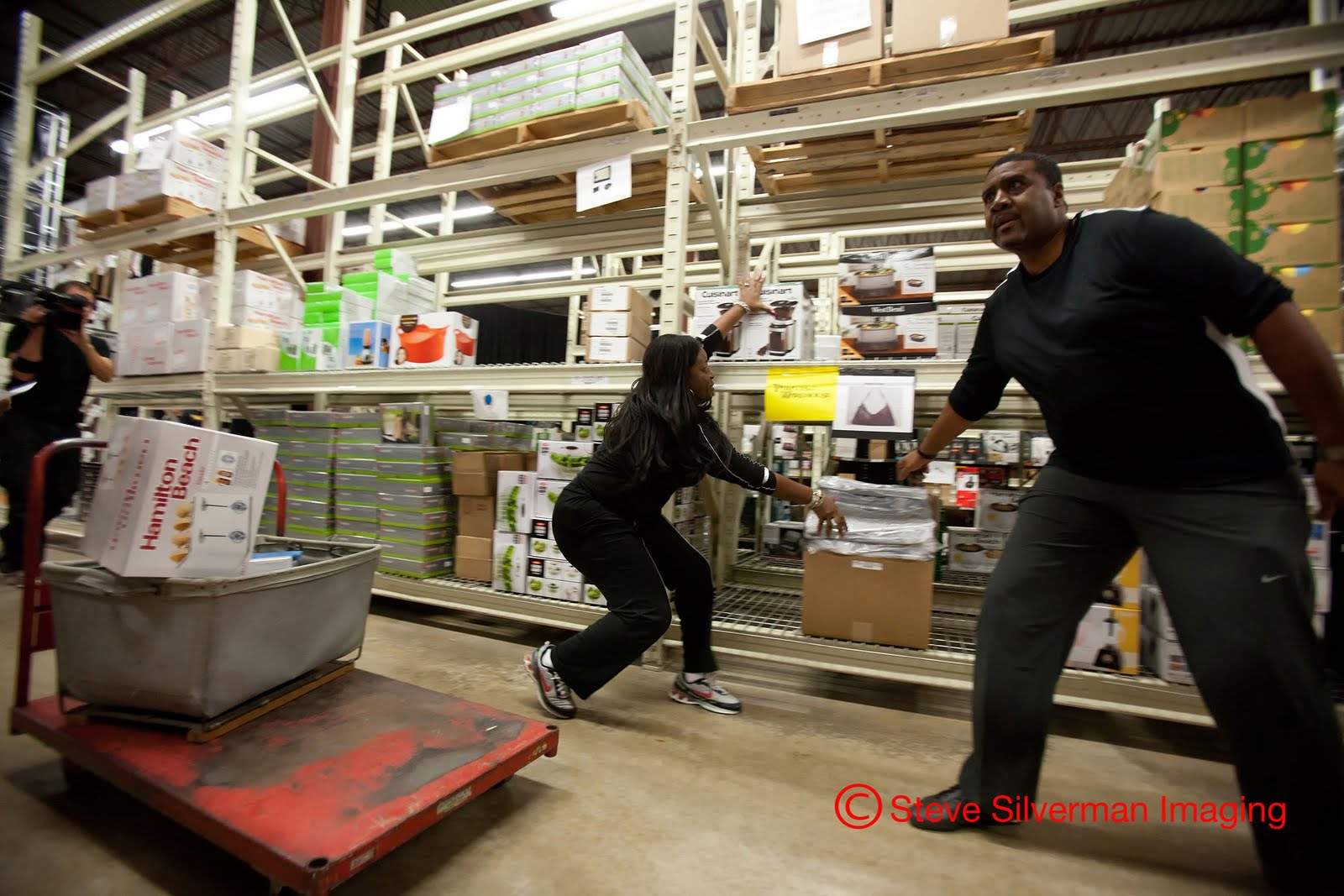
    On 2 consecutive weekends, approximately 175 people (a total of 350) attended a convention. During a Friday evening banquet, the participants were awarded a football jersey. They were immediately escorted into a photo room adjoining the convention. We shot them on a white chroma key background in various football poses. I hired Paul Fletcher to shoot with me. We shot 1 person about every 2 1/2 to 3 minutes.

    We shot tethered to 2 computers manned by Angela Thomas and Bethany Sewald. Angela and Bethany immediately chose the best pose for each person. Periodically through the evening, half of the final picks were e-mailed to Kristin Smith and Pat Riley who were working offsite.

    The next morning, Angela, Bethany, Kristin, and Pat first outlined each person. Outlining is a process of extracting a subject from the background. They then transferred the outlined subject to a sports card template. the template frame was designed by a graphic designer and the backgrounds came from shots I took at local football fields. Finally, they added a text field and placed the subject's name in it.

    The entire editing process was designed to take 5 minutes per person due to the time constraints we were under. The completed templates were rushed to a local printer. They were printed on heavy weight stock that mirrors the weight and texture of sports trading cards. The completed cards were rushed to the convention site by mid-day Saturday to be inserted into special award frames.

    The client's reaction: "The cards look fantastic and everyone is really pleased with them."

    Here's an example of what they looked like:


    For more information,

  • www.stevesilvermanimaging.com

  • 4445 W. 77th St. #130
    Edina, MN 55435
    952-844-0119 c952-905-1197
    steve@stevesilvermanimaging.com

    Thursday, September 24, 2009

    The Guthrie

    This project was shot for one of the builders responsible for the construction of the Guthrie Theatre in downtown Minneapolis.

    Be sure to click on the images to enlarge them.

    The first two images were created from 7 shots. Exposures for the first image ranged from 1/6 seconds to .7 seconds. The exposure range in the second image ranged from 1/4 second to 8 seconds. Both were processed as HDR (High Dynamic Range) images through Photomatix and tweaked by hand.


    The panoramic image below was created from a set of three exposures covering exposure values from 8 seconds to 60 seconds. Three views were shot across the scene for a total of 9 images stitched together to form a panoramic with a 3:1 ratio.


    For more information,

  • www.stevesilvermanimaging.com

  • 4445 W. 77th St. #130
    Edina, MN 55435
    952-844-0119 c952-905-1197
    steve@stevesilvermanimaging.com

    Friday, September 04, 2009

    Campbell County Law Enforcement Center, Gillette, WY

    I traveled to Gillette, WY, last week on assignment for a Chicago architecture firm to shoot photos of this law enforcement facility. Not exactly the place to spend on your vacation!

    Click on each image to enlarge it.

    You can see the rest of the images from this shoot here:

  • Project Photos


  • The project included construction of a new morgue. This is the autopsy room. Comfy!


    While I was in Gillette, I took the opportunity to shoot some photos around town. Gillette is a mixture of a modern energy producing city (oil and coal) but has strong roots in the old West.


    For more information,
  • www.stevesilvermanimaging.com

  • 4445 W. 77th St. #130
    Edina, MN 55435
    952-844-0119 c952-905-1197
    steve@stevesilvermanimaging.com

    Wednesday, September 02, 2009

    Devils Tower, Wyoming

    Prior to beginning my assignment in Gillette, Wyoming, I took an excursion to Devils Tower in northeastern Wyoming. This monolith stands a little over 1,100 feet. Native American legend says that the mountain was formed when five little girls and a little boy were playing. Spontaneously, the little boy turned into a bear and started chasing the girls. The girls jumped on top of a tree stump which magically rose out of the bear's reach. The unusual texture of the mountain was caused by the bear jumping and clawing as it tried to reach the girls. Ultimately, the girls rose into the sky to form the Big Dipper.

    Be sure to click on each image to enlarge it.

    Some of these were shot from a trail a short distance away from the main park. I "enjoyed" being accompanied (or was it surrounded) by several rattlesnakes.


    This panoramic was composed of 5 images stitched together.


    For more information,

  • www.stevesilvermanimaging.com

  • 4445 W. 77th St. #130
    Edina, MN 55435
    952-844-0119 c952-905-1197
    steve@stevesilvermanimaging.com

    Tuesday, September 01, 2009

    Classic Bridal Portraits

    What's new is old is new is old....you probably get it.

    With the advent of candid or photojournalistic wedding photography (which I helped pioneer umpteen jillion years ago it seems), the art of the classic bridal portrait seems to have gotten lost. Just try googling it and you either get semi-posed candid shots on the wedding day or 20 year old portraits.

    I've created a scenario for doing bridal portraits that I think a lot of brides will buy into. Many brides will schedule a practice hair/make-up session shortly before their wedding day. Since they're already "beautified" I invite them to grab their wedding dress and come over to the studio for a portrait session. This is a great opportunity for a bride to simulate what she'll look and feel like on her wedding day.

    This relaxed setting provides the perfect atmosphere to create beautiful portraits that are significantly better than those created on the wedding day. The wedding day is a rush (often a blur) and most wedding photographers are best prepared for grabbing shots on the run. Although, spontaneous, they often lack the artful beauty and technical quality of a classic portrait. They're hardly ever sharp or resolved enough to enlarge and hang on the wall. In the studio, the entire environment is controllable from lighting to the pace we shoot at.

    Because a bridal portrait session is done before the wedding day, it's possible to print, mount, and frame a portrait that can be displayed at the wedding reception.

    This is what the set-up looked like when we shot Greta recently.


    Images from the shoot follow. Be sure to click on each image to enlarge it and see its full color and beauty.


    You can see the rest of the images from this shoot here:

  • Bridal Portraits


  • Be sure to contact me if you'd like more information about Classic Bridal Portraits.

    For more information,
  • www.stevesilvermanimaging.com

  • 4445 W. 77th St. #130
    Edina, MN 55435
    952-844-0119 c952-905-1197
    steve@stevesilvermanimaging.com

    Monday, August 31, 2009

    Workshop: How to Take Better Pictures of People Outdoors

    Last week, Mark, Barry, Kimberly, Karissa, and Julie participated in this workshop held at Arneson Acres. Emily was our delightful model. Here are some of the photos I shot with some comments concerning post processing. Hopefully, I'll have some images from the workshop participants to share here shortly.

    Click on the images to enlarge them.

    Next workshop: Advanced Studio Lighting, Tuesday, September 22nd, 7-10 p.m., at my studio in Edina.
    Sign up here:

  • Workshop Sign Up


  • This first image incorporates several devices I often use when I post process portraits. The image on the left is right out of the camera. It's not too bad; properly balanced from an exposure standpoint incorporating flash to help balance the exposure between the foreground and background.

    The first thing I do, in Adobe Lightroom, is to crop the image to an 8x10 format. I prefer this format because it's the most commonly printed size and somehow separates a professionally produced image from a snapshot (normally shot in a 35mm format that converts to 4x6).

    Next, I process the image out of Lightroom as a Tif to give me some more latitude in dealing with the full spectrum of colors. This becomes important in the next steps. I process the image through a Photoshop plug-in called Nik Color Efex 3.0. I choose a preset called "Pro Contrast." This has the effect of not only brightening the image but providing more contrast. Next, I run the image through another software plug-in called OnOne PhotoTools. In PhotoTools, I choose a preset called SkinSmoother that softens the complexion without touching the rest of the image. Finally, I use the Healing Brush tool in Photoshop to address a few blemishes.


    In this next image, I've applied a 1:1 cropping ratio in Lightroom to form a square image. Square portraits as well as square landscapes and florals are becoming more popular. I think the square format works well here because it brings you closer to Emily's face. Notice how textured her skin is in the original image. This is more a function of the camera and its optics than Emily's complexion. Again, the SkinSmoother preset along with the Healing Brush tool cleans up her skin nicely but doesn't overdo it to the point that her skin looks unnaturally porcelain.


    Notice how cropping in this final image takes care of the obvious issue of removing the Coke can and Emily's handbag. In addition, I used the Clarity and Vibrance sliders in Lightroom to bump up the total image quality (non-destructively) before applying the other presets described earlier in Photoshop.


    I was able to enhance the brightness of Emily's eyes and teeth using a Contrast Only preset in Color Efex Pro 3.0.


    For more information,
  • www.stevesilvermanimaging.com

  • 4445 W. 77th St. #130
    Edina, MN 55435
    952-844-0119 c952-905-1197
    steve@stevesilvermanimaging.com

    Thursday, August 13, 2009

    Cape Cod Magic

    From a recent photo shoot on Cape Cod:

    Be sure to click on each image to enlarge it.


    For more information,

  • www.stevesilvermanimaging.com

  • 4445 W. 77th St. #130
    Edina, MN 55435
    952-844-0119 c952-905-1197
    steve@stevesilvermanimaging.com

    Martha's Vineyard Campmeeting Cottages

    For the last 30+ years, our annual summer vacation has been on the island of Martha's Vineyard, off the coast of Massachusetts. One of the attractions we always enjoy is visiting the town of Oak Bluffs. The Martha's Vineyard Campground Association is composed of more than 100 homes that surround the Tabernacle, an outdoor church/ampitheatre. More than 100 years ago, people started coming out to the Vineyard to enjoy the cool summer weather and to get a bit of that ol' time religion. They pitched tents that became more and more elaborate. Eventually, people started building wood facades and porches to act as front doors to their tents. And, as even more time passed, they replaced the tents with cottages built behind the facades. The homes, most of which are on the National Historic Register, have always been gaily painted and festooned with decorations, lanterns, and flowering plants.


    Several of these images were processed using HDR (High Dynamic Range) techniques, which was quite a challenge considering they were taken hand held.

    See the rest of the images from the shoot here:

  • Oak Bluffs


  • For more information,
  • www.stevesilvermanimaging.com

  • 4445 W. 77th St. #130
    Edina, MN 55435
    952-844-0119 c952-905-1197
    steve@stevesilvermanimaging.com

    Wednesday, August 12, 2009

    Minnetrista Landscape Shoot

    We recently shot this private residence in Minnetrista. Be sure to click on each image to enlarge it and see the detail.

    See the rest of the images from the shoot here:

  • Project Portfolio


  • For more information,
  • www.stevesilvermanimaging.com

  • 4445 W. 77th St. #130
    Edina, MN 55435
    952-844-0119 c952-905-1197
    steve@stevesilvermanimaging.com

    Friday, July 31, 2009

    Too Much Fun!

    I had the pleasure of shooting Stephanie's senior portraits in the Mill District recently. Stephanie brought her BFF Nora and Mom (Debbie) for support and added talent. We had a gloriously fun time! I shot Geoff's senior portraits (Stephanie's older brother) a few years ago. Needless to say, photography and style (from classic to EDGY) has changed!

    See the entire portfolio of images here:

  • Portrait Portfolio


  • Be sure to click on the images to enlarge them and see their full beauty and detail.


    The pink guitar was just too hott!


    A passing dog who was just too cute and playful to pass up:


    A short jam session with a random guy who just happened to be on the street:


    Perhaps one of the most genuinely beautiful smiles ever captured on camera:


    And, here I distinctly heard Stephanie's Mom say that she had found her in a basket on their doorstep!


    I also enjoyed having Jen Sing assist me for the first time. She brought lots of ideas and was instrumental to the success of this shoot. See more of Jen's work here:

  • Jen Sing


  • For more information,
  • www.stevesilvermanimaging.com

  • 4445 W. 77th St. #130
    Edina, MN 55435
    952-844-0119 c952-905-1197
    steve@stevesilvermanimaging.com

    Tuesday, July 28, 2009

    One:One Training

    Last week, I met Melissa for 4 hours of one:one training on architectural photography. We spent 2 hours in the field shooting and 2 hours in the studio workflowing images. I shot with my camera and Melissa shot with hers. Photos shot at the Minnesota Landscape Arboretum. Here are some samples of the finished images:

    (click on each image to enlarge it and see the detail)


    For more information,

  • www.stevesilvermanimaging.com

  • 4445 W. 77th St. #130
    Edina, MN 55435
    952-844-0119 c952-905-1197
    steve@stevesilvermanimaging.com

    Higher! Higher!

    What do you do when your client says, "Ya, I like it but can you go higher?" Well, you go to the top of the client's building and shoot from the open roof (no guard rails) from the above the 15th floor. This is a shot of the Minnesota River Valley. This panoramic was created from 7 images shot across the horizon, stitched together. Each original image was comprised of 5 different exposures layered together for a total of 35 files combined.

    Be sure to click on the image to enlarge it and see all of the detail.


    You can also view a rendition of this image as a moving image (drag your cursor to the left and right):


    FreeVideoCoding.com


    For more information,

  • www.stevesilvermanimaging.com

  • 4445 W. 77th St. #130
    Edina, MN 55435
    952-844-0119 c952-905-1197
    steve@stevesilvermanimaging.com

    Monday, July 27, 2009

    Recent Architectural/Landscape Projects

    Two Plymouth, MN, projects shot recently:

    This romantic, palatial project showcases a 30 foot long babbling brook:


    This image was created from 5 separate images that were stitched together to form a panorama.
    Be sure to click on the image to enlarge it and see all of the great detail.

    Comment from the owner:
    "Thank you! Thank you! I have so enjoyed looking at these photos. You have a great and amazing talent."

    This project demonstrates what you can do in a small space. Even townhome gardens can be lovely!


    Be sure to click on the image to enlarge it and see all of the great detail.


    For more information,

  • www.stevesilvermanimaging.com

  • 4445 W. 77th St. #130
    Edina, MN 55435
    952-844-0119 c952-905-1197
    steve@stevesilvermanimaging.com

    Sunday, July 26, 2009

    360ยบ Panoramic Test

    At Arnason Acres in Edina:


    FreeVideoCoding.com


    For more information,

  • www.stevesilvermanimaging.com

  • 4445 W. 77th St. #130
    Edina, MN 55435
    952-844-0119 c952-905-1197
    steve@stevesilvermanimaging.com

    Friday, July 17, 2009

    New Downtown Minneapolis Images

    New images of downtown Minneapolis taken from the St. Anthony Falls area with the Mississippi River in the foreground.

    Click on each image to enlarge it and see the detail.

    This panoramic is composed of 7 different views, five exposures of each view, for a total of 35 images.


    This image consisted of 3 different exposures layered together.


    For more information,

  • www.stevesilvermanimaging.com

  • 4445 W. 77th St. #130
    Edina, MN 55435
    952-844-0119 c952-905-1197
    steve@stevesilvermanimaging.com

    Thursday, July 16, 2009

    Stylized Portraiture

    A new and different approach to portaiture. Be sure to click on the image to enlarge it.


    For more information,

  • www.stevesilvermanimaging.com

  • 4445 W. 77th St. #130
    Edina, MN 55435
    952-844-0119 c952-905-1197
    steve@stevesilvermanimaging.com

    Saturday, July 04, 2009

    Getting Published

    One of the advantages of working with a professional photographer is being able to take advantage of my extensive contacts in the publishing industry. Getting your projects published is an important marketing tool that validates the quality of your work and raises your awareness factor with both your clients and colleagues. Here is an illustration from two publications that featured my work this summer (Lux Design was a cover image as well as several projects featured inside; Spaces also featured images from 2 projects):


    (Click on the image to enlarge it)


    For more information,

  • www.stevesilvermanimaging.com

  • 4445 W. 77th St. #130
    Edina, MN 55435
    952-844-0119 c952-905-1197
    steve@stevesilvermanimaging.com

    Wednesday, July 01, 2009

    Downtown Minneapolis


    I've recently undertaken, at the request of a couple of clients, to create new images of downtown Minneapolis and downtown St. Paul. This is a particularly good time of the year to shoot large landscapes because the days are long and the sky provides for interesting and beautiful backdrops.

    The first image was shot at twilight. It was created from a series of 9 separate images combined using several specific tools. The camera was mounted to a Bogen panoramic head. Three separate exposures were taken at each position. In post production, the lower half of the image (I-94) was cropped out of the image. Each set of three was processed through Photomatix Pro to create an HDR (high dynamic range) image. The three images were stitched together using Realviz Stitcher Unlimited. The resulting image was tweaked to an exact 3:1 ratio and refined using Nik Color Efex Pro to provide just a hair more contrast and tone.

    Because of the way the image was taken, the native file is more than 300 mg making it suitable to be printed to extremely large sizes.


    The following three images, all the same but processed differently, were taken on an evening when I had hoped for sweet spectrum colored clouds in the evening sky. As the evening progressed, however, the clouds thickened so I adjusted my perception of the scene.

    This image was shot with a 24mm Tilt/Shift perspective correcting lens. Approximately five images, taken at different exposures, were merged in Photomatix Pro. I shifted the sliders in Photomatix to dramatize the colors and exposure of the image. The image was cropped pretty tightly to remove the highway foreground from the scene and each one was processed differently using either Nik Color Efex Pro or OnOne Photo Tools.

    The first image was pretty much unprocessed after running it through Photomatix. The second was put through an Infrared filter to simulate an infrared image. The opacity of the effect was ramped back to provide a hint of color in the clouds and some of the highlights of the rest of the scene. The third image was converted to black and white using a "wow" setting that adds some brightness to the highlights.


    For more information,

  • www.stevesilvermanimaging.com

  • 4445 W. 77th St. #130
    Edina, MN 55435
    952-844-0119 c952-905-1197
    steve@stevesilvermanimaging.com

    Thursday, June 18, 2009

    Virtual Portraits

    Here's how we shoot portraits and put them against a background depicting the skyline of downtown Minneapolis. Click on the image to enlarge it so you can see the detail.


    Another recent example of how we can shoot portraits either in the studio or on location and add a contextual background that looks natural and realistic. Be sure to click on the image to enlarge it.


    For more information,

  • www.stevesilvermanimaging.com

  • 4445 W. 77th St. #130
    Edina, MN 55435
    952-844-0119 c952-905-1197
    steve@stevesilvermanimaging.com